Recent thermal printer repair logged by our local team — real repairs, real customers, real outcomes.
Oct 12, 2026·Mount Holly, NC 28120·Zebra ZQ520
Problem:
Zebra ZQ520 portable thermal printer reported with worn printhead and platen roller requiring replacement.
Solution:
Technician replaced the printhead and platen roller on a Zebra ZQ520 (model ZQ52-AUE0000-00) portable barcode printer. Part of a multi-unit service involving six printers requiring the same components.
Oct 2, 2026·Pineville, NC 28134·Zebra ZM400
Problem:
A Zebra ZM400 thermal printer in Pineville, NC was generating multiple errors traced to a faulty cutter assembly.
Solution:
Technician replaced the cutter assembly, cleaned the unit, performed calibration, and tested to confirm normal operation.
Aug 7, 2026·Mount Holly, NC 28120·Zebra 105sl plus
Problem:
Zebra 105SL Plus thermal printer in Mount Holly, NC required parts installation; components had been shipped to the customer site in advance of a scheduled service visit.
Solution:
Parts were shipped to the customer site for the Zebra 105SL Plus. Upon follow-up, the customer reported the unit was operating normally and requested the service visit be postponed. The call was subsequently closed with no installation performed.
Jul 14, 2026·Fort Mill, SC 29708·Zebra 105SL Quarterly
Problem:
Zebra 105SL thermal label printer due for scheduled quarterly preventive maintenance (3 of 4 in annual PM cycle).
Solution:
Performed quarterly PM on Zebra 105SL: cleaned adhesive buildup from printhead and platen roller, inspected drive belts and gears, and verified print quality.
Jul 10, 2026·Mount Holly, NC 28120·Zebra 105SL 10500-3001-2000
Problem:
A Zebra 105SL thermal printer in Mount Holly, NC required a PM13-level service, with the printhead, tension spring, ribbon roller, main board, and media sensor all flagged for replacement.
Solution:
Technician replaced the printhead (300 DPI), toggle assembly, ribbon roller kit, media sensor, and main board on the Zebra 105SL 10500-3001-2000. Unit was tested and confirmed operational following component replacement.
Jul 10, 2026·Matthews, NC 28105·Zebra 170xi4 -
Problem:
Zebra 170Xi4 300 DPI thermal printer in Matthews, NC reported degraded print quality — output alternated between overly dark and light or blotchy results.
Solution:
Technician cleaned the printhead; print quality remained unacceptable. Adjusted pressure, temperature, and print speed without resolution. Replaced the printhead (part P1004237) and fine-tuned pressure and temperature settings to restore consistent, acceptable print quality.
Jul 10, 2026·Fort Mill, SC 29708·Zebra ZT410
Problem:
A Zebra ZT410 thermal printer in Fort Mill was not properly feeding labels through the media path.
Solution:
Technician confirmed the feed issue on-site, found the drive belt had severe wear, and replaced it with a customer-supplied belt. End user was trained on printhead pressure adjustment to eliminate void lines on printed labels.
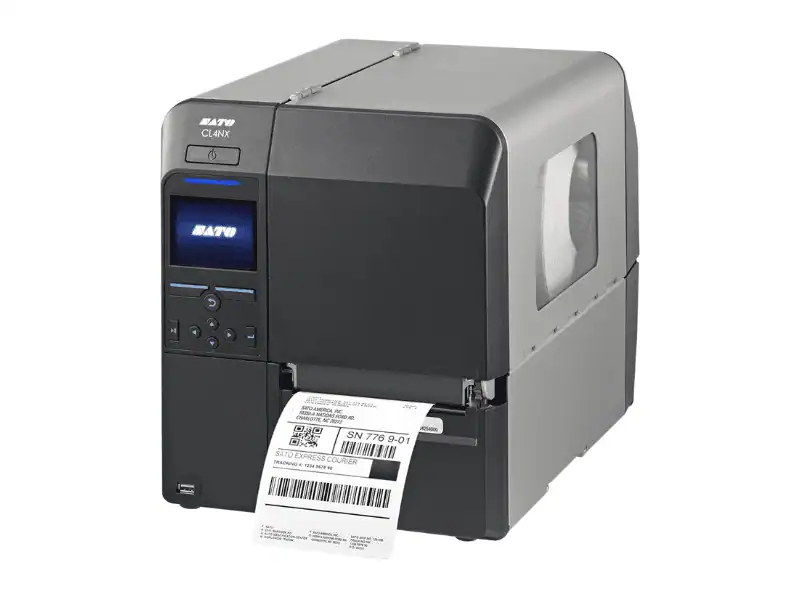
Jun 30, 2026·Matthews, NC 28105·Sato M10e -
Problem:
A Sato M10e thermal printer was triggering a persistent open-head error. The unit is operated in an inverted orientation, and labels were found jammed in the media path.
Solution:
The technician cleared stuck labels from the media path, then bent the metal arm on the open-head switch assembly so the switch activates fully when the print head is closed. With a customer-supplied ribbon installed, all adjustments were verified and the printer was tested before return to service
Jun 26, 2026·Monroe, NC 28112·Zebra 105SL S/N
Problem:
Zebra 105SL thermal printer in Monroe, NC reached end of serviceable life and was designated for disposal following a PM10 assessment.
Solution:
Technician decommissioned the Zebra 105SL, harvesting all recoverable components before the unit was disposed of.
Jun 2, 2026·Mount Holly, NC 28120·Zebra ZT510
Problem:
Zebra ZT510 and 105SL Plus thermal printers required printhead replacement.
Solution:
Replacement printheads were quoted, approved, and ordered for both the Zebra ZT510 and 105SL Plus. Parts shipped directly to the customer's Mount Holly, NC location.
May 8, 2026·Fort Mill, SC 29708·Zebra ZT410
Problem:
A Zebra ZT410 thermal printer in Fort Mill was producing misaligned output, with print content shifting from the center of labels and bleeding across two labels.
Solution:
Inspection revealed multiple rubber bands wrapped around the label gap sensor assembly — left by a previous user to hold the label guide in place. The rubber bands were removed, the label guide was properly repositioned, and test labels confirmed consistent, centered output with no shifting.
Apr 30, 2026·Concord, NC 28025·Zebra 105SL, S/N
Problem:
Zebra 105SL thermal printer reported a persistent Ribbon Out failure. Ribbon sensor or main board suspected defective; platen roller also required replacement.
Solution:
Technician adjusted ribbon sensor settings, restoring print operation. Replaced platen roller, printhead, and media guide using parts units. Installed a replacement network card. Printer was tested and returned to service.
Showing 12 of 47 service calls in Fort Mill, SC.
View all 47 service calls