

Nationwide Copier & MFP Service Since 1997
On-Site Copier and Multifunction Printer Repair for Business
PRG repairs office copiers and multifunction printers on-site at your office — Xerox, Canon, Ricoh, Kyocera, Sharp, and more. Local technicians in 65 cities, over 1,000,000 repairs since 1997, and most standard copier repairs completed in a single on-site visit.
On-site service is scheduled during standard local business hours, Monday–Friday.
Expert Support for Your Office Copiers & MFPs
When the office copier goes down, everything queues up behind it — scanning, copying, the morning’s print jobs, the contract that needs to go out signed. From floor-standing Xerox and Ricoh systems to the compact MFPs in smaller offices, the wear points are predictable: feed rollers, fusers, drums, document feeders, finishers. PRG’s technicians have completed more than 1,000,000 repairs since 1997, and copier repair happens on-site at your office — not at a depot.

Xerox
The backbone of office document fleets. WorkCentre, AltaLink, and VersaLink machines carry serious daily volume — and when a fault code stops the morning’s copies, our local technicians read it and get to work.

Canon
Canon built its name on copiers, and the line still runs deep — compact imageCLASS MFPs in small offices, imageRUNNER ADVANCE systems in busy ones. When one acts up, our technicians service it at your office.

Ricoh
The office-fleet and print-room mainstay. When an IM or MP series machine puts an SC code on the panel, that code tells our technicians exactly where to start — and the fix happens at your location.

Kyocera
TASKalfa and ECOSYS machines are built around long-life imaging, which is why offices hold onto them for years. We help them earn that reputation — wear parts replaced on-site, before small faults become big ones.
Copier Down? Let’s Get It Running Again
Tell us the model and the symptom — an error code, a jam that keeps returning, copies coming out streaked or blank. A local technician comes to your office and gets your machine back in service.
What Actually Breaks — and What We Fix
Every copier platform fails in its own way — but it fails predictably. Here’s what our technicians see most, brand by brand.
Serious Volume, Kept Moving
Xerox Copier Repair
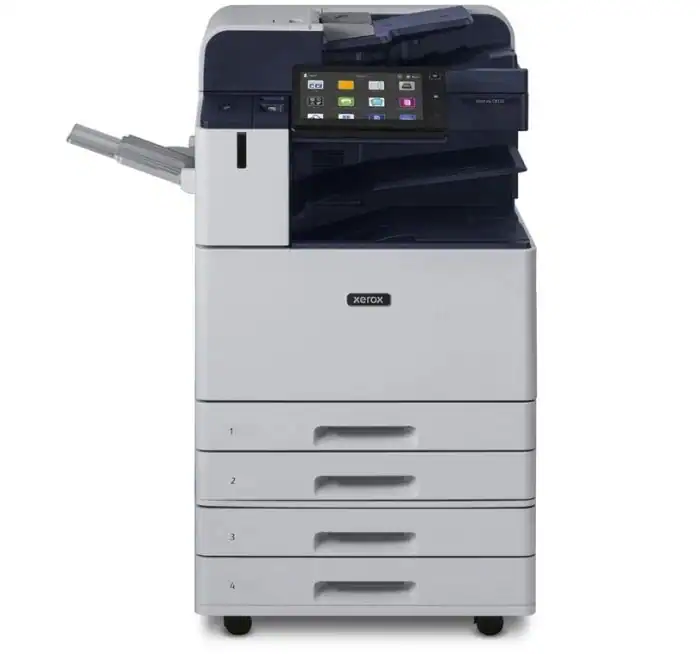
Xerox multifunctions report problems in precise chain-style fault codes, and those codes tell our technicians where to start. Fuser faults, paper-path jams, document-feeder trouble, and finisher problems — staplers, hole punches, booklet makers — are the common calls on WorkCentre, AltaLink, and VersaLink machines, all diagnosed and repaired at your office.
Common ModelsWorkCentre 6655, 4250, 3615; AltaLink series; VersaLink B405, B605, C505, C605, C7030
Critical Failure PointsFusers, feed & transport rollers, document feeders, imaging modules, finishers
Primary Error CodesChain-style fault codes — 010-xxx (fuser) and 07x-xxx (paper path)
Service CoverageOn-site repair & parts replacement nationwide — full Xerox repair guide →

The Original Copier Name
Canon Copier & MFP Repair
Canon’s copier line runs from desktop imageCLASS MFPs to imageRUNNER ADVANCE systems doing a department’s whole workload. Our technicians handle the calls these machines generate — feed and duplex problems, toner and image-quality complaints, scan and feeder faults, and E000-series temperature errors that point straight at the fuser. Include the model number when you request service and your local office will confirm coverage.
Common ModelsimageRUNNER & imageRUNNER ADVANCE series; imageCLASS MF424dw, MF634cdw, MF733cdw
Critical Failure PointsFeed rollers & duplex units, fusers, toner & imaging systems, document feeders
Primary Error CodesE000-series (fuser/temperature), panel jam & feeder codes
Service CoverageOn-site repair & parts replacement nationwide — full Canon repair guide →

SC Codes, Read and Resolved
Ricoh Copier Repair
Ricoh’s IM and MP series run office fleets and print rooms alike, and they speak in SC service codes — an SC540-series code points at the fuser circuit the same way every time. Drum and imaging wear shows up as vertical lines or fading, feed systems and large-capacity trays wear on a schedule, and all of it is work our technicians handle at your location.
Common ModelsIM C3000, IM C4500, IM 550, IM 600; MP C3004, MP C4504, MP C6004
Critical Failure PointsFusers, drums & imaging units, feed systems & large-capacity trays, document feeders
Primary Error CodesSC service codes — SC540-series (fuser) are the classics
Service CoverageOn-site repair & parts replacement nationwide

Long-Life Machines, Kept That Way
Kyocera Copier Repair
Kyocera builds TASKalfa MFPs and ECOSYS machines around long-life imaging components, so the failures that do arrive are the mechanical ones any hard-working copier collects: heat and fuser faults behind C-series service codes, worn feed rollers, and document feeders due for maintenance. Our technicians replace the wear parts on-site so the machine reaches the long service life it was built for.
Common ModelsTASKalfa 3554ci, 5054ci, 7054ci; ECOSYS MFP series
Critical Failure PointsFusers & heat assemblies, feed & pickup rollers, document feeders, developer units
Primary Error CodesC-series service codes — heat/fuser faults are the classics
Service CoverageOn-site repair & parts replacement nationwide
Is Your “Copier” Actually a Laser MFP?
Walk up to the machine and check the badge. In many offices, the “copier” is an HP or Lexmark laser multifunction — an office printer that also copies and scans. If that’s yours, you’re in even more familiar territory: laser MFPs are the single biggest category in our service records, and your local PRG office repairs them every day. Same visit, same technician, same hourly-plus-parts billing.
From our service records
Copiers and multifunction machines are daily work for a network that has completed over 1,000,000 repairs since 1997. In a recent review of branch service records alone, our technicians logged 4,200+ copier and MFP repairs — including 1,100+ jam and feed calls, 500+ print-quality fixes, 390+ fuser and maintenance-kit jobs, and 240+ scanner and document-feeder repairs. If it copies, scans, or staples, we’ve repaired it.
How On-Site Copier Repair Works
Tell us what the copier is doing — the model number, the message on the panel, the symptom you’re seeing. Your local office schedules a visit during standard local business hours, Monday through Friday.
Your technician diagnoses the problem at the machine. If parts are needed, you get the parts cost quoted and approved before the repair continues — and if the copier isn’t worth fixing, your technician will tell you that too.
Repairs are billed as hourly labor plus parts, with a one-hour minimum that covers the trip and the diagnosis. Before leaving, your technician runs test copies and a scan job to confirm every function works.
Copier Repair Near You
Nobody ships a copier out for repair — a PRG technician drives to your office. We’re local in 65 cities, including:
Copier Repair: Your Questions Answered
How much does copier repair cost?
Is my copier worth repairing, or should we replace it?
Why does my copier keep jamming?
How long does a copier repair take?
Do you service enterprise copier fleets?
What copier brands do you service?
Have a different question? The PRG Answer Center covers the printer and copier questions offices actually search for.

Get Your Office Copying Again
A local technician comes to your office, diagnoses the problem, and gives you a straight answer on the best way to fix it.
Local technicians in 65 cities. Straightforward hourly labor plus parts.