

From Phaser to PrimeLink — Repaired On-Site
On-Site Xerox Printer & Copier Repair for Business
Our recently published service records include Xerox work in 58 of our markets — Phaser and WorkCentre machines that have anchored offices for a decade, and the VersaLink and AltaLink fleet that replaced them. Most laser printer repairs are completed within an hour.
On-site service is scheduled during standard local business hours, Monday–Friday.
When a Xerox Drifts, the Whole Office Notices
Xerox machines are bought for their output — sharp text, accurate color, clean scans. So when the pages start showing streaks, lines, or washed-out color, it gets noticed fast. Our technicians have serviced these machines for nearly three decades: they know which symptom points to a drum cartridge, which one is a fuser, and which one is a transfer belt at the end of its life. The fix is usually a familiar part, replaced right at the machine.
What Actually Fails on Xerox Machines
The brand that built its name on print quality wears the way you’d expect: when the output drifts, it’s time for service. Our records show the pattern.
4 in 10
Xerox service notes involve print quality — streaks, lines, faded pages, or color that’s off — usually a drum, fuser, or transfer part due for replacement
#1
the most-repaired Xerox in our records is the Phaser 3600 — a mono laser offices bought years ago and simply kept running
58
of our markets logged Xerox service calls in the recently published records — desktop Phasers to floor-standing WorkCentres
Drums, fusers, and feed rollers are parts that naturally wear with use — like the tires and brake pads on your car — and they’re made to be replaced. The full analysis is in The Printer Reliability Report.
The Xerox Lines We Service
Desktop printers, departmental MFPs, and light production — the machines below all appear in our service records. Your local office confirms coverage for your exact models when scheduling.
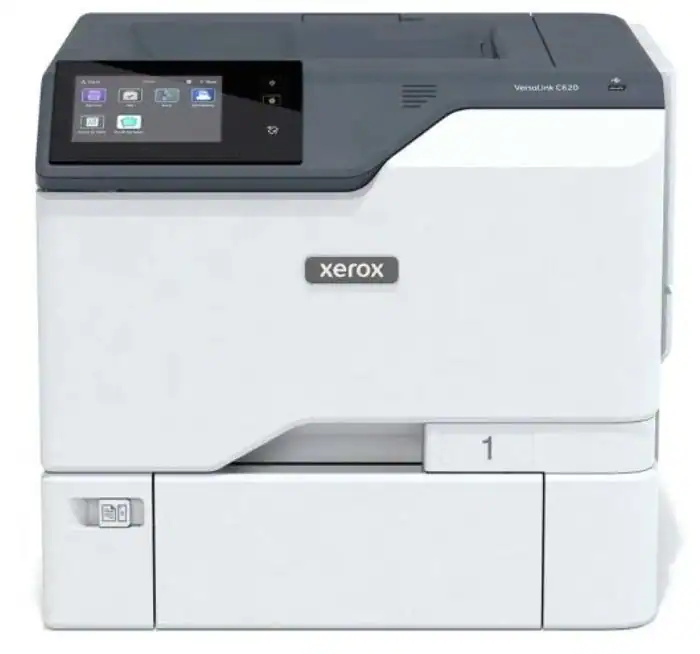
VersaLink — the office line
Xerox’s current workgroup family, and the biggest share of our newer Xerox work. The C405 and B405 MFPs lead our VersaLink service calls, with the larger C7000-class machines behind them. These printers took over the jobs the WorkCentre fleet used to do — and they wear the same way: rollers, fusers, and drum cartridges on a schedule you can plan for.
Models we service
C405 · B405 · C7000 & C7030 · B605 & C605 · C505 · 6515
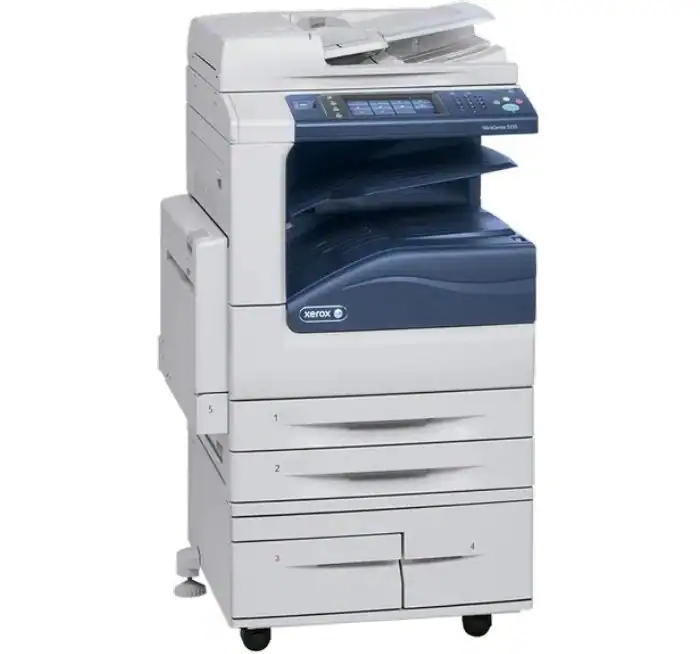
WorkCentre — the installed fleet
Retired from Xerox’s catalog, not from offices. WorkCentre machines are one of the biggest shares of our Xerox records — the 7435, 7845, and 7120 color MFPs above all — because the offices that bought them see no reason to stop. Document feeders, fusers, and transfer belts are the routine work that keeps them on the floor.
Models we service
7435 · 7845 · 7120 · 6655 · 6605 · 4250 & the wider WC fleet
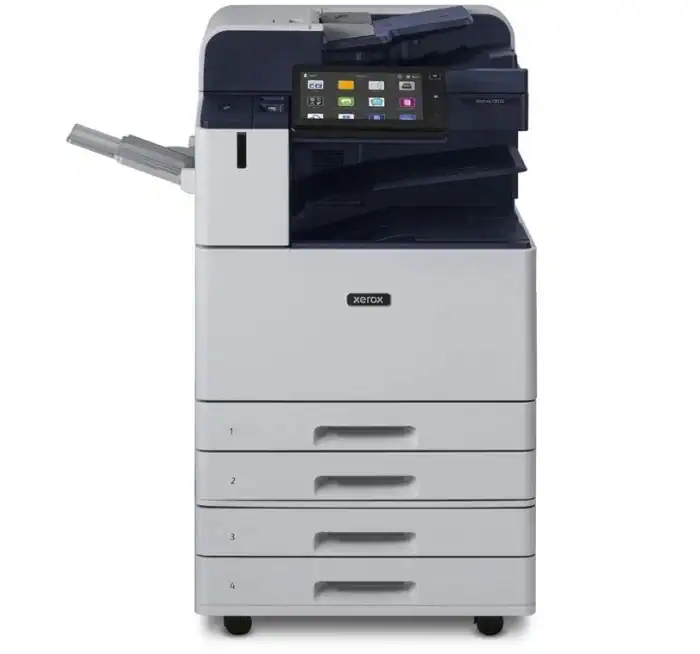
AltaLink — departmental MFPs
The floor-standing machines that replaced the big WorkCentres — high-volume copy, scan, and finishing for departments that run all day. Feed rollers, document-feeder maintenance, and fuser modules are the same familiar service points, just built for a heavier duty cycle.
Models we service
B8145 & B8155 · C8145 & C8155 · B8065 & C8055 prior generation
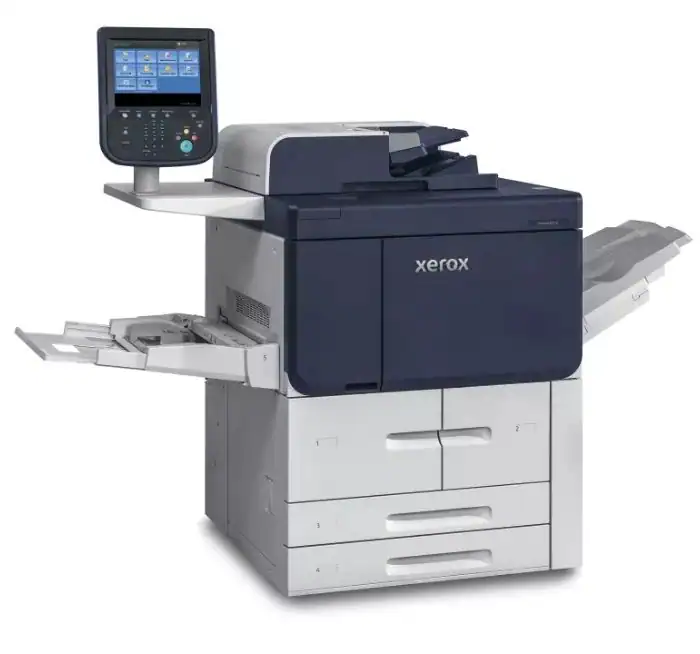
PrimeLink — light production
For print rooms and copy centers running real volume, downtime is measured in missed jobs. We service Xerox’s light-production systems on-site — registration, image quality, and finishing issues included — and coverage for production equipment is confirmed with your local office when you schedule.
Models we service
PrimeLink B9100 series · PrimeLink C9065 & C9070
Phaser desktop lasers are all over our records too — the 3600 and 4622 above all. If your office still runs one, that’s a machine we know inside and out. Tell us the model when you request service.
Xerox Acting Up?
Tell us the model and the symptom — streaks on the page, a fault code on the panel, a feeder that keeps jamming. A local technician comes to your office and sorts it out at the machine.
Xerox Problems, Answered
The problems that stop office printers and MFPs have patterns our technicians see every week — and plain-English answers you can read right now.
Paper jams that keep coming back?
Repeat jams point to worn feed rollers, not bad luck with paper.
Read the answer →Lines or streaks on every page?
One quick test tells you if it’s the scanner glass or the print engine.
Read the answer →What does a repair cost?
Hourly labor plus parts, explained with real numbers — no surprises.
Read the answer →Repair it or replace it?
The honest math for business machines — and when a repair is the wrong call.
Read the answer →How often should an MFP be serviced?
The service intervals that keep a WorkCentre or AltaLink out of trouble.
Read the answer →Printer, copier, or MFP?
What the categories actually mean — and why it matters for service.
Read the answer →More printer questions in the PRG Answer Center.
Local Technicians, at Your Office
Every repair is local: our offices are independently owned, staffed by technicians in your market, and priced for your area. Front office, copy room, or print shop — a technician comes to the machine, not the other way around.
Guidance for Your Xerox Fleet
Decisions bigger than a single repair — what wears, when to replace it, and what the data says about the machines you run.
Xerox Repair: Your Questions Answered
Which Xerox machines do you repair?
How much does Xerox printer repair cost?
How long does a Xerox repair take?
My Phaser was discontinued years ago — can you still fix it?
Do you service PrimeLink and production equipment?
Have a different question? The PRG Answer Center covers the printer questions offices actually search for.

Get Your Xerox Back to Full Quality
A local technician comes to your office, diagnoses the machine where it works, and gives you a straight answer on the best way to fix it — whether it’s a desktop Phaser or a floor-standing MFP.
1,000,000+ repairs completed · 65 cities · since 1997